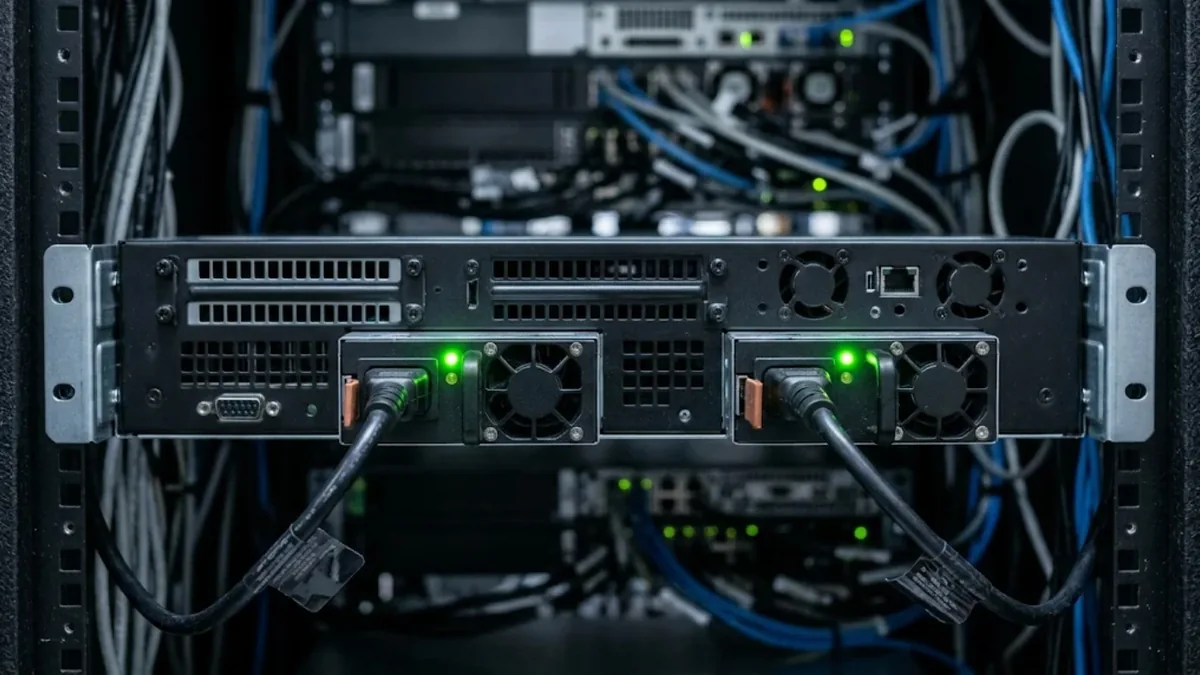
The power supply unit (PSU) is one of the least exciting parts of a server, yet it decides whether the server keeps running when something goes wrong. Choosing the wrong wattage, mixing incompatible units or running without redundancy can turn a single failed component into hours of downtime. This guide explains how server power supplies work, how redundancy is configured, how to size wattage and what to check when buying replacement or used PSUs.
How server power supplies differ from desktop PSUs
- Hot-swappable: most rack servers use PSUs that slide out from the back and can be replaced while the server is running.
- Redundant: servers usually have two (sometimes four or more) PSU bays so one unit can fail without shutting the system down.
- Platform-specific: server PSUs are designed for a particular chassis family. A unit from one vendor or generation usually does not fit another.
- Managed: the server's management controller (such as iDRAC or iLO) reports PSU health, input voltage and power draw.
Redundancy modes explained
| Mode | What it means | Typical use |
|---|---|---|
| N | Just enough PSUs to run the server; no spare | Lab and test systems only |
| N+1 | One extra PSU beyond what the load needs | Most production servers |
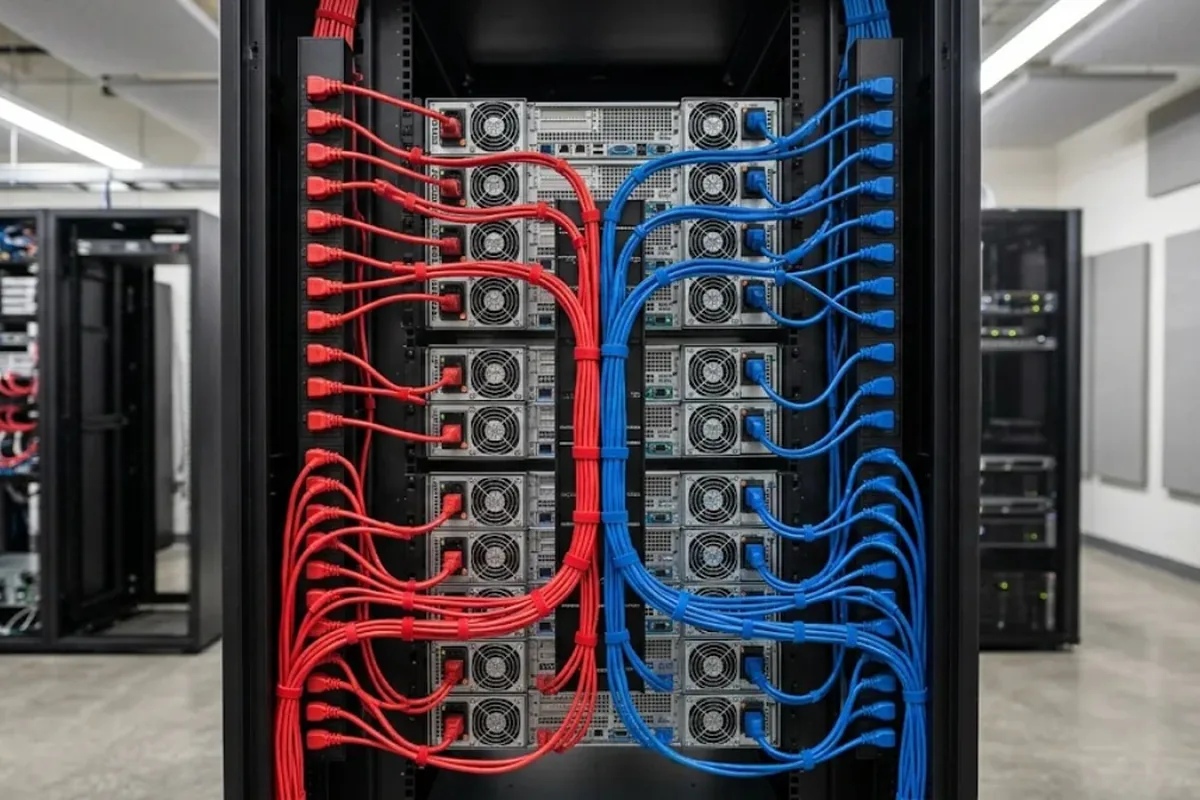
| 2N (grid redundancy) | Two independent sets of PSUs, each connected to a separate power feed | Critical systems in data centers with A and B feeds |
Redundancy only works if the load can be carried by the remaining PSUs. If a server draws 1,100 W and has two 800 W units, it is not truly redundant: losing one unit would overload the other.

How to size PSU wattage
- List the components: CPUs, memory, drives, GPUs and add-in cards. GPUs and high-core-count CPUs dominate power draw.
- Use the vendor's power calculator: Dell, HPE and Lenovo publish configurators that estimate power for a specific build.
- Add headroom: aim for the expected peak load to sit at roughly 50 to 80 percent of the capacity of a single PSU in a redundant pair. PSUs are most efficient in this range.
- Check input voltage: many high-wattage PSUs deliver full output only on 200 to 240 V input. On 100 to 120 V, their rated output may be lower.
For GPU servers, power planning is a bigger topic that also affects the rack and the facility. Plan circuits and PDUs together with the PSUs, not after.
Efficiency ratings: why 80 PLUS Platinum and Titanium matter
Server PSUs are typically rated 80 PLUS Platinum or Titanium. Higher efficiency means less energy is lost as heat, which reduces both electricity use and cooling load. Across a full rack running around the clock, the difference adds up. When replacing units, match or exceed the efficiency rating of the originals.
Compatibility checks before buying a PSU
- Exact part number: match the part number or the vendor's list of supported PSUs for your server model and generation.
- Same wattage in a pair: do not mix different wattages in one server; many platforms will raise an error or disable redundancy.
- Same type: AC and DC units, or units with different input ranges, should not be mixed.
- Firmware: some platforms update PSU firmware automatically; others flag a mismatch until both units are on the same version.
- Connector and airflow: check the power cord type (for example C14 or C20 inlet) and that the unit's airflow direction matches the chassis.
The same "match the platform exactly" rule applies to memory and drives. See our guides to server RAM compatibility and drive caddies and backplanes.
Buying refurbished or used server PSUs
Refurbished PSUs are a practical way to restore redundancy on older servers or keep spares on hand. Before buying, ask:
- Was the unit tested under load, not only powered on?
- Does the part number match your server's supported list?
- Is the fan clean and quiet, and are the connectors undamaged?
- What warranty or return period applies? Our article on refurbished server warranties explains what to look for.
Keeping one spare PSU per server model in your inventory is an inexpensive way to shorten recovery time when a unit fails.
Signs a server PSU is failing
- Amber status LED on the PSU or a power warning in the management controller log.
- Redundancy lost alerts even though both units are installed.
- Unusual fan noise or a burning smell.
- Unexpected reboots under heavy load.
Frequently asked questions
Can I run a server with only one PSU installed?
Usually yes, if the single unit can carry the load, but you lose redundancy. A single failure will shut the server down, so this is not recommended for production.
Should both PSUs be connected to the same power strip?
No. For real protection, connect each PSU to a different PDU and ideally to a different power feed or UPS. Otherwise a single PDU or circuit failure takes both down.
Can I upgrade to higher-wattage PSUs?
Often yes, if the higher-wattage unit is listed as supported for your server. Replace both units together so they match.
Are PSUs from different server generations interchangeable?
Sometimes within the same vendor family, but not always. Always check the supported parts list for your exact model.
How long do server power supplies last?
Many run for years in a clean, cool environment. Heat, dust and constant high load shorten their life, which is why monitoring and spares matter.
Conclusion
A well-chosen power supply setup keeps your servers running through component failures. Size the wattage with headroom, use N+1 or grid redundancy, connect units to separate feeds and only use part numbers supported by your platform. ITCT can help you find compatible, tested power supplies and other spare parts for your servers.