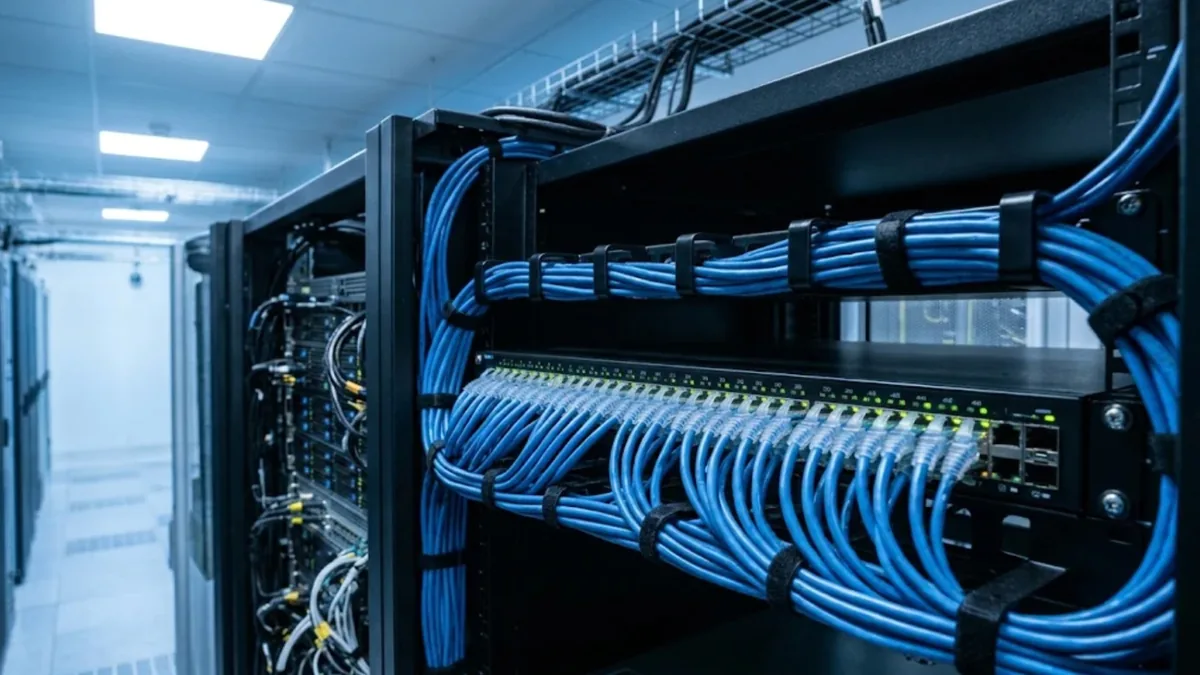
A PoE (Power over Ethernet) switch sends both data and electrical power over the same network cable, so access points, IP cameras, VoIP phones and door controllers can run without a separate power adapter at every location. Choosing the right PoE switch is mostly about power: which PoE standard your devices need, how many watts per port, and the total power budget of the switch. This guide explains PoE standards, how to calculate your power budget, and what to check when buying a new or used PoE switch for an office, warehouse or retail site.
What is a PoE switch and what can it power?
A PoE switch is a network switch with power sourcing equipment (PSE) built into some or all of its ports. Connected devices that support PoE (powered devices, or PDs) negotiate how much power they need and receive it over standard copper Ethernet cabling, up to 100 metres.
- Wireless access points: the most common PoE load in offices; newer Wi-Fi 6/6E/7 models often need more power than older ones.
- IP cameras: fixed cameras use little power; PTZ cameras and models with heaters or IR illumination need much more.
- VoIP phones: low power per phone, but many ports.
- Access control, intercoms, IoT sensors and thin clients: small loads that add up across a site.

PoE standards explained
| Standard | Common name | Max power at switch port | Typical devices |
|---|---|---|---|
| IEEE 802.3af | PoE (Type 1) | 15.4 W | VoIP phones, basic cameras, sensors |
| IEEE 802.3at | PoE+ (Type 2) | 30 W | Most Wi-Fi 6 access points, dome cameras |
| IEEE 802.3bt Type 3 | PoE++ / UPOE | 60 W | High-end access points, PTZ cameras, small displays |
| IEEE 802.3bt Type 4 | PoE++ / UPOE+ | 90 W | Heated outdoor PTZ cameras, LED lighting, thin clients |
The power that actually reaches the device is lower than the switch-port figure because of cable losses. Always check the device datasheet for its maximum PoE class, not its typical consumption.
How to calculate your PoE power budget
Every PoE switch has a total PoE budget, for example 370 W or 740 W, that is shared by all ports. A 48-port switch with a 370 W budget cannot deliver 30 W to every port at the same time. To size the switch:
- List every device you will connect and its maximum PoE draw from the datasheet.
- Add them up to get the total PoE load.
- Add 20–30% headroom for growth, power spikes and future devices.
- Choose a switch whose PoE budget exceeds that number, and confirm each port supports the class your highest-power device needs.
Example: 12 access points at 25 W, 16 cameras at 8 W and 20 phones at 6 W give 300 + 128 + 120 = 548 W. With 25% headroom you need about 685 W of PoE budget, so a switch with a 740 W budget (or two smaller switches) is a safer choice than one with 370 W.

Other features to check before you buy
- Uplink speed: Wi-Fi 6/6E access points can push more than 1 Gbps; consider multigigabit (2.5/5 Gbps) access ports and 10G or 25G uplinks.
- Managed vs unmanaged: managed switches support VLANs for separating cameras, phones and guest Wi-Fi, plus monitoring and per-port PoE control. For business networks, managed is almost always the right choice.
- Power supply redundancy: many enterprise PoE switches accept a second power supply; larger PoE budgets often require it.
- PoE scheduling and perpetual PoE: scheduling can power down devices out of hours; perpetual PoE keeps devices powered during a switch reboot.
- Stacking: lets several switches be managed as one unit, useful as sites grow.
- Noise and heat: high-budget PoE switches have more fans and generate more heat; check where the switch will be installed.
- Lifecycle status: check end-of-sale and end-of-support dates before buying, as explained in our guide to end-of-life network gear.
Buying a used or refurbished PoE switch
Enterprise PoE switches are well suited to the refurbished market: they are built for long service lives and often come out of large refresh projects. To buy safely:
- Confirm the exact model and the installed power supply, because the PoE budget often depends on the PSU fitted.
- Test every port for both data and PoE delivery, including at least one high-power device.
- Check fan health and power supply status in the switch logs.
- Reset the configuration and confirm software licensing is appropriate for the features you need.
- Compare models before you buy; for example, our Catalyst 9200 vs 9300 comparison covers PoE budgets and uplinks for two popular families.
If you are deploying new access points at the same time, see our guide to buying used access points to match their PoE needs to your switch.
Common mistakes
- Choosing a switch by port count and ignoring the total PoE budget.
- Assuming every port supports PoE; some models only offer PoE on part of the ports.
- Using typical rather than maximum device power when calculating the budget.
- Connecting 802.3bt devices to PoE+ ports, which can cause devices to run in reduced mode or reboot.
- Forgetting cable quality and distance limits for high-power PoE.
Frequently asked questions
What is the difference between PoE, PoE+ and PoE++?
They are successive IEEE standards with higher power limits: PoE (802.3af) up to 15.4 W per port, PoE+ (802.3at) up to 30 W, and PoE++ (802.3bt) up to 60 W or 90 W depending on the type.
Can I connect a non-PoE device to a PoE switch?
Yes. Standards-based PoE switches detect whether a device supports PoE before sending power, so laptops, desktops and other non-PoE devices simply receive data.
How many access points can one PoE switch power?
Divide the switch's PoE budget by the maximum power of each access point, then leave headroom. For example, a 370 W switch can comfortably power around 10–12 access points that draw up to 25–30 W each, assuming no other heavy PoE loads.
Do I need a PoE injector if my switch has PoE?
No, unless a device needs more power than the switch port can deliver. Injectors are useful for single high-power devices on an older switch.
Conclusion
The best PoE switch is the one with the right standard on every port that needs it, enough total power budget with headroom, and uplinks fast enough for your access points. List your devices, calculate maximum PoE draw, and check lifecycle status before buying. If you need help sizing a PoE switch or choosing between new and refurbished options, the ITCT team can recommend models that fit your devices and site.